
Chores get done. Nobody nags.
FamOwl turns the family routine into missions kids actually finish — they earn points, you approve with a tap, and everyone sees the same picture. Free for your whole household.
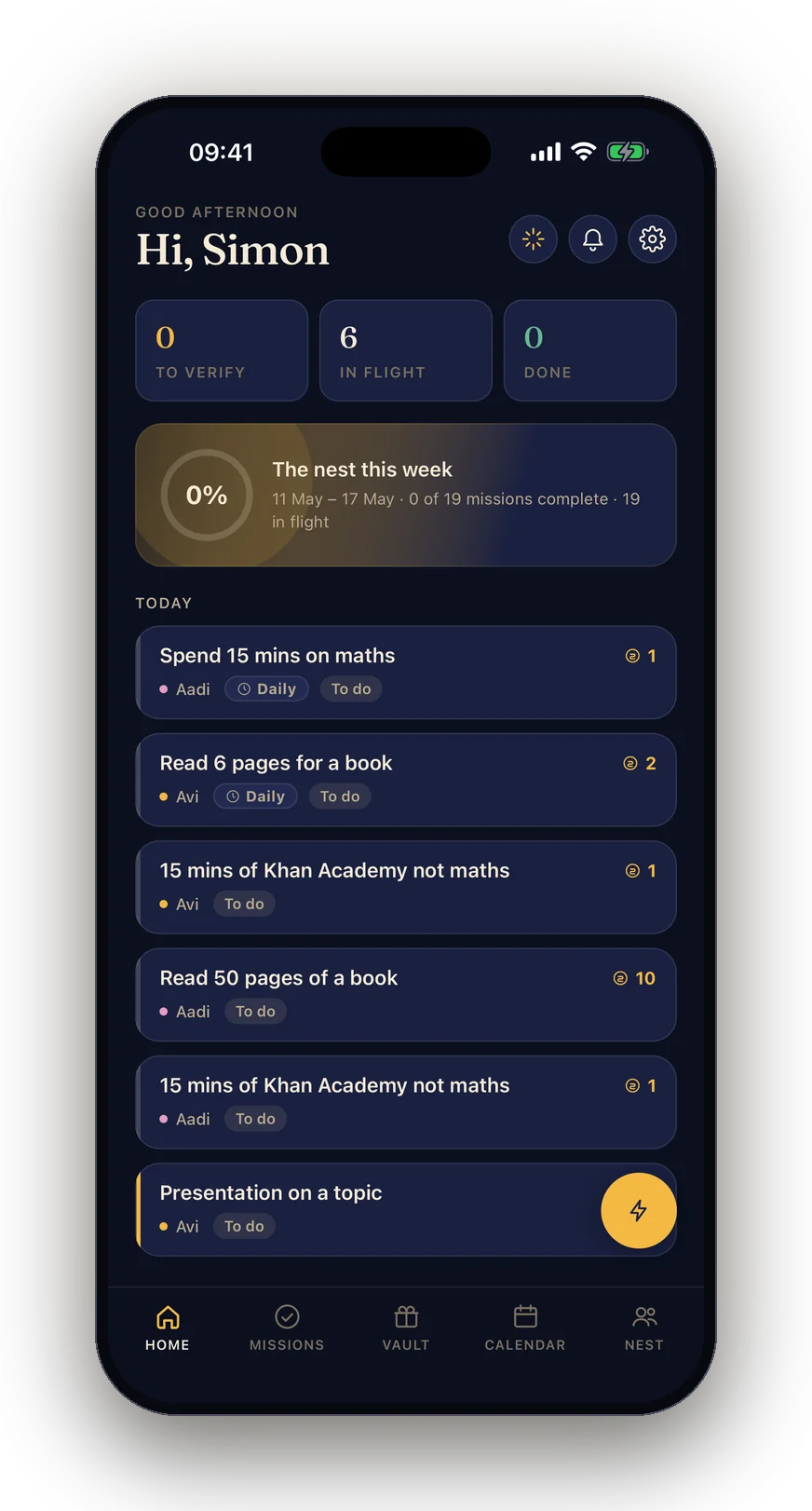
How it works
Three steps. About five minutes to set up.
Set up missions
Turn chores into missions worth points — one-off or repeating. Make beds, feed the dog, homework before screens. You choose what each one is worth.
Kids complete them
Kids see their missions on a shared device or their own, mark them done, and can snap a photo as proof — so "I did it!" actually means it happened.
Points become rewards
You approve, points land, and kids spend them on rewards you set — pocket money, a movie night, an hour of gaming, a trip to the pools.
See it in action
A calm, shared picture of family life — not another spreadsheet.
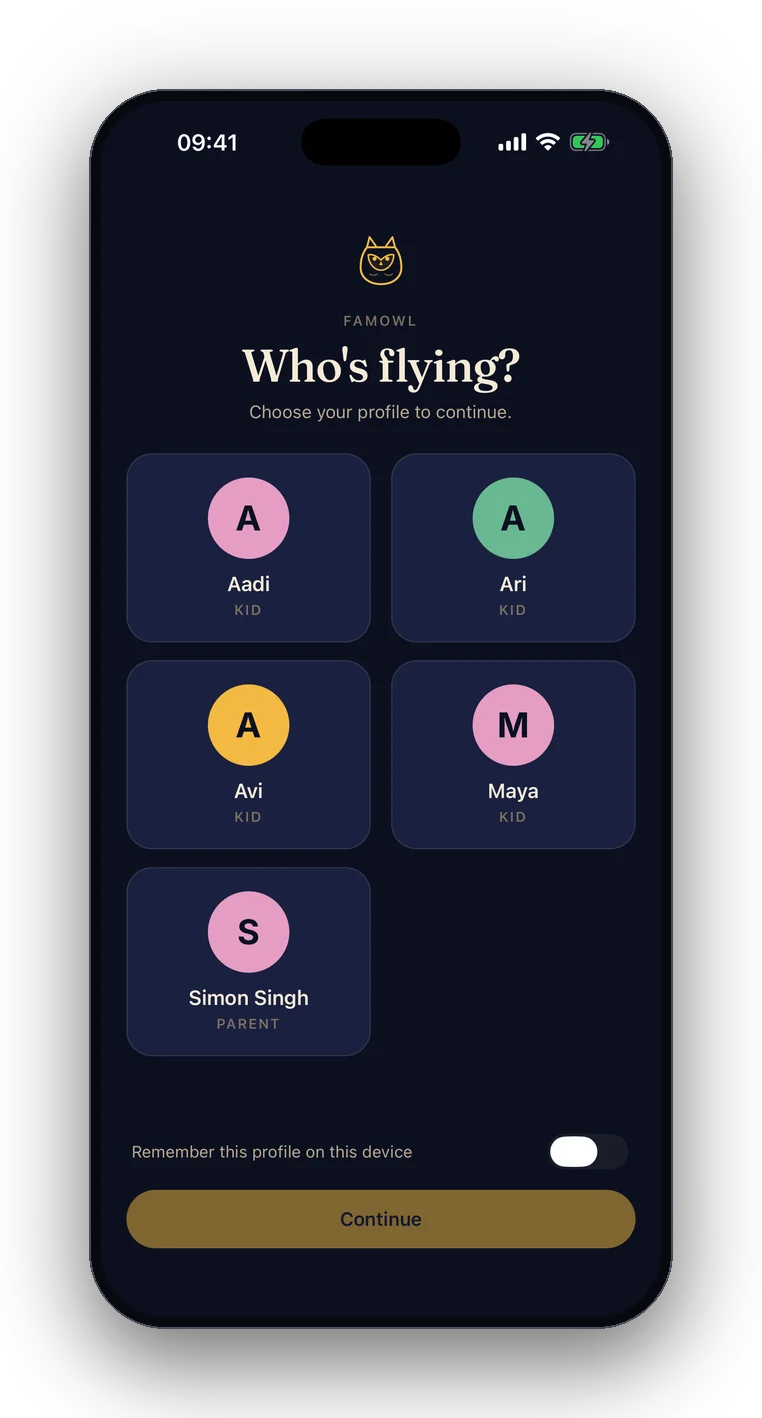
Everyone gets their own profile
Each kid is a profile inside your family — not an account they have to sign into.
- No emails or passwords for kids, ever
- Switch profiles on a shared device, or pair a kid's own device with a QR code
- Parent controls and billing stay behind your login
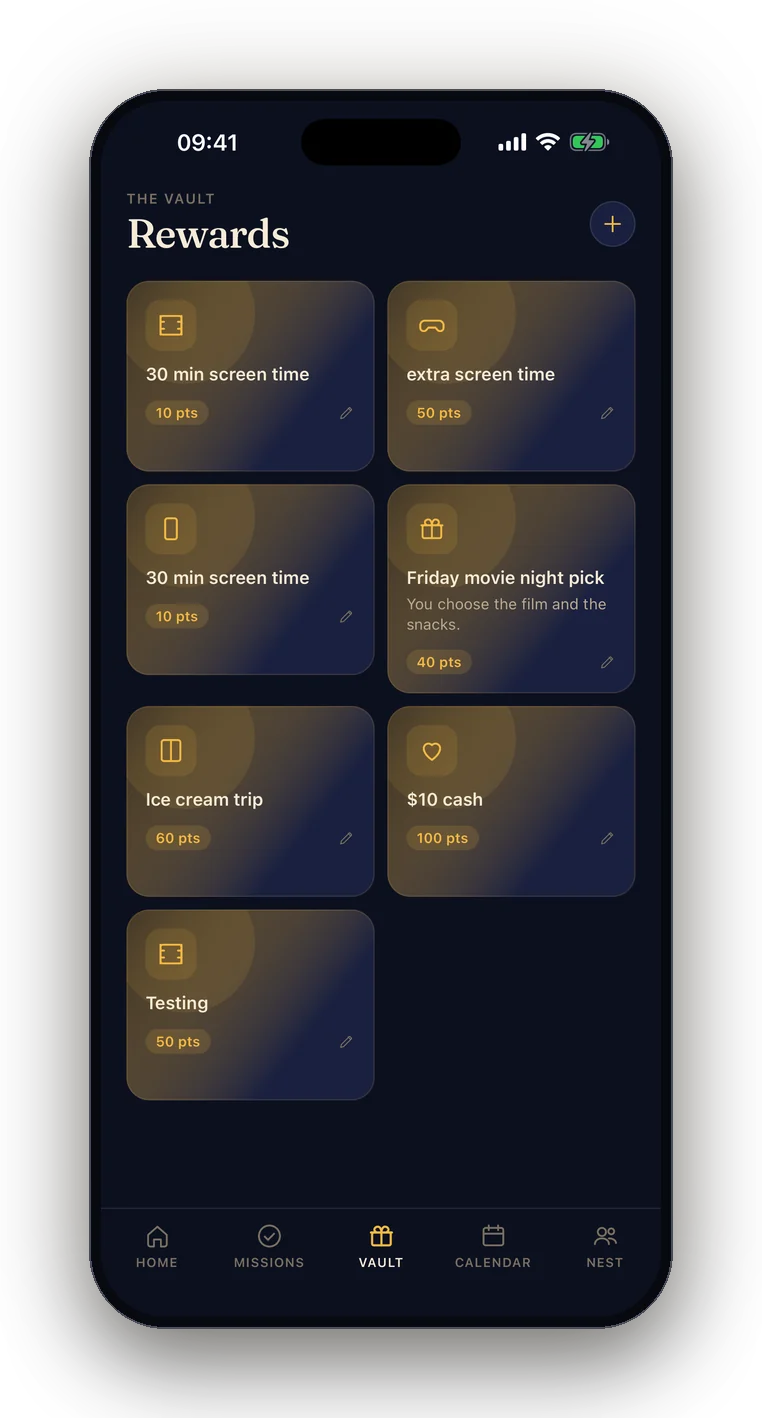
Points buy rewards they actually want
Stock it yourself, then let points do the motivating.
- Screen time, pocket money, a movie night, a trip out — your call
- Kids save up and redeem; you approve
- You set what everything costs in points
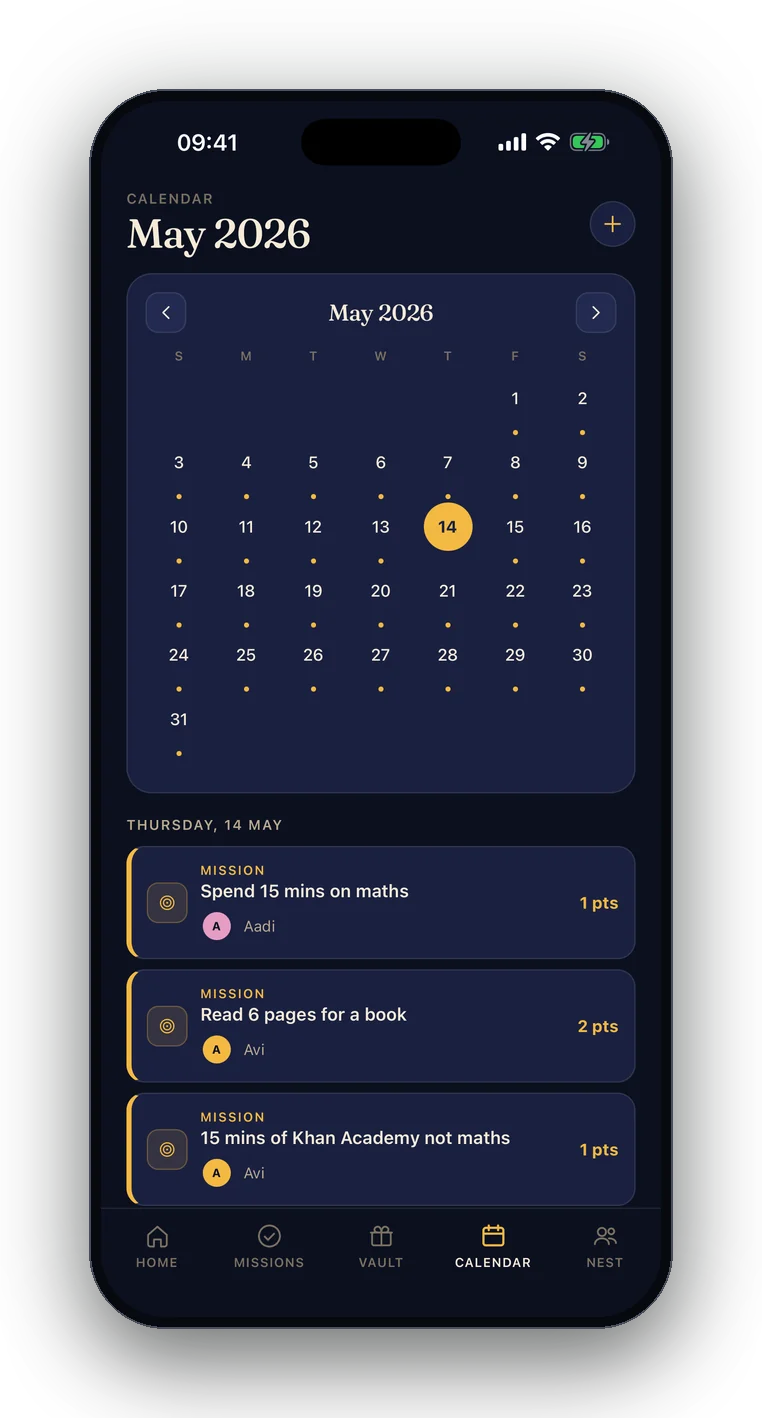
One calendar the whole family shares
Missions, events and the week ahead, in a single view everyone can see.
- Co-parents see exactly the same picture, in real time
- Nothing lost on the kitchen whiteboard
- Free and unlimited, even without Premium
Everything a family routine needs
Built by a parent who got tired of repeating himself.
Missions & routines
One-off jobs or repeating schedules, per kid, each worth the points you decide. Unlimited, even on the free plan.
Photo proof
Kids attach a photo when they finish. You approve from your phone. No more "but I DID tidy my room".
A reward shop you stock
Pocket money, screen time, outings, anything. Kids save up and redeem; you set what each one costs.
Family calendar
Everyone sees what's on — missions, events, and the week ahead, in one shared view.
Streaks & badges
Streaks and milestones earn badges. Premium families can design their own.
Wishlist & long-term projects
Kids set big goals — a new bike, a Lego set — and work toward them over weeks, not days.
An AI parenting sidekick
Stuck on fair pocket money, mission ideas, or a reward that'll actually motivate? Ask the built-in assistant. Every family gets free messages each month.
The whole household
Co-parents join with an invite code. Kid devices pair by scanning a QR code — no email or password needed.
Built by a dad, not an ad company
FamOwl is made by one parent in New Zealand, and it treats your family's data the way you'd hope:
- No ad networks, no tracking. We make money from optional Premium subscriptions — not from selling your data or profiling your family. If we ever add a clearly-labelled, parent-approved sponsorship, we'll tell you first.
- Kids never need an account. No email, no password, no sign-up — kids exist only inside your family's space.
- Analytics are anonymous and aggregate — one tap to turn them off, and always off for kids no matter what.
- Your kids' proof photos are never sent to the AI, and kids' names are shown as initials unless you choose otherwise.
Pricing
The core app is free for your whole family, forever. Premium adds the long-game extras.
| Free$0 · forever | PremiumNZ$4.99/mo · NZ$50/yr · 30-day trial | |
|---|---|---|
| Missions & rewards | Unlimited | Unlimited |
| Family calendar | Included | Included |
| Photo-proof approvals | Included | Included |
| Kids | Up to 3 | Unlimited |
| Badges | Stock collection | Custom badge designer |
| Wishlist & long-term projects | Not included | Included |
| Daily challenges | Not included | Included |
| AI assistant | 3 messages/month | 500 messages/month |
| Get started free → | Try Premium free for 30 days |
The App Store shows your local price. Subscriptions auto-renew unless cancelled in your Apple settings.
Common questions
More in the support centre.
Do my kids need their own accounts or email addresses?
No. Kids never create accounts. They're profiles inside your family — on a shared device they just switch profiles, and on their own device they pair by scanning a QR code from your app. No email, no password, nothing to leak.
Is FamOwl really free?
Yes — missions, rewards, photo proof, and the calendar are free with no limits, for up to 3 kids. Premium (NZ$4.99/month or NZ$50/year) adds unlimited kids, wishlists, long-term projects, daily challenges, custom badges, and a much bigger AI allowance.
What ages does it suit?
Roughly 4–14. Younger kids use it with you from your phone; older kids run their own paired device. You decide the missions and rewards, so it grows with them.
Is it on Android?
FamOwl is on iPhone and iPad today. Android is on the roadmap — email hello@famowl.app and we'll let you know when it lands.
Less nagging starts tonight.
Set up your first missions in five minutes, free.